
Best Social Media Downloader
Social Media Video Downloader
Download videos from your favorite platforms in high quality
Safe & Secure
Your data is protected
Fast Download
High speed servers
All Devices
Works on any device
Why This Free Social Media Downloader Exists
The best social media downloader should not make you jump through hoops. No account creation. No waiting for an email confirmation. No pop-up begging you to install a browser extension. You pick a platform, paste a URL, and save the file. That is the whole idea behind Easy Video Downloader.
Most people who search for a universal video downloader are tired of bookmarking five different websites. One for TikTok, another for Instagram, a third that only sort of works on YouTube. Each site has its own ads, its own sketchy download buttons, and its own failure rate. This page puts everything under one roof.
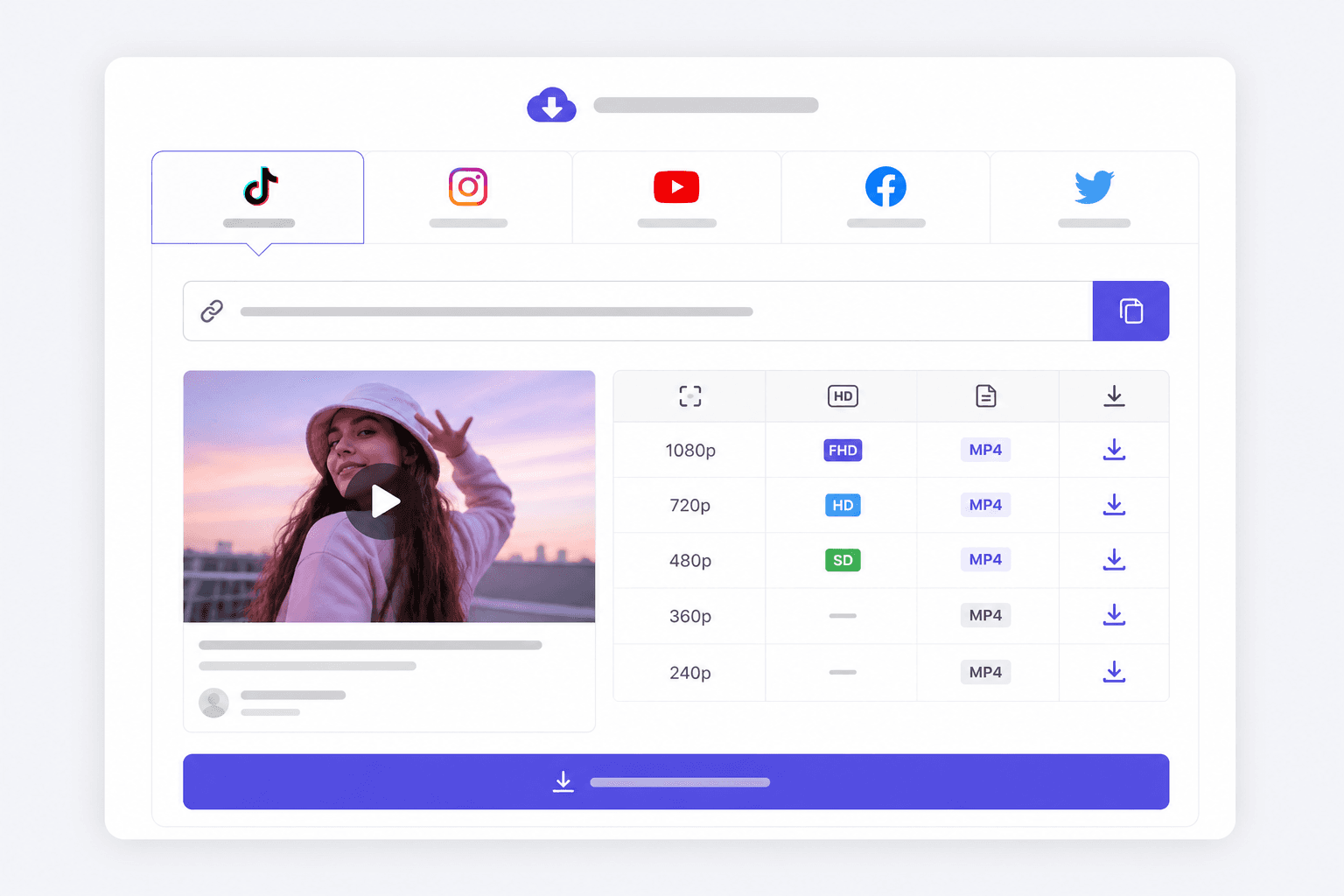
You can download videos from TikTok, Instagram, YouTube, Facebook, and Twitter/X without switching tabs. Each platform has its own tab at the top of the tool. Select the right one, drop in the link, and the format picker shows what is actually available for that clip. Not what we wish was available. What the platform actually serves.
Speed matters too. The tool fetches metadata in a few seconds on a decent connection. Full video downloads depend on file size, but short-form content (under 60 seconds) usually lands on your device before you finish reading this paragraph.
Creators archive their own posts here before a rebrand or a platform purge. Teachers save educational clips for classrooms with unreliable Wi-Fi. Travelers grab tutorials they want offline on a flight. The reasons differ, but nobody wants to create an account just to save a 30-second clip.
If you only care about TikTok and want the cleanest possible file without a watermark, the dedicated TikTok downloader no watermark page strips away everything else and focuses on that one job. For Instagram Reels specifically, our Instagram Reels download guide walks through mobile quirks that trip people up.
YouTube Shorts and long-form videos both work. Facebook Reels and page videos too. The engine behind this tool is the same one most reliable downloaders use, which means when TikTok or Instagram changes something, updates propagate quickly. For a comparison of alternatives, read our roundup of the best free social media downloader tools in 2026. You can also head back to the Easy Video Downloader homepage to see everything we offer.
This is a download any video from social media tool in the practical sense, not the marketing sense. It handles the five platforms people actually use. It does not promise to rip content from every website on the internet. What it does promise is a straightforward path from URL to MP4 without signing your data away.
Facebook video downloads trip people up more than they should. Page videos and public Reels usually work. Personal profile posts set to Friends only will not. Our Facebook video download guide explains the privacy settings that block saves and what to try when a link looks public but still fails.
YouTube is the other big one. Long-form uploads can hit 4K if the uploader enabled it. Shorts cap out lower but still look sharp on a phone screen. YouTube also supports MP3 extraction here, which is useful when you need audio from a lecture or podcast clip you already have rights to. Read our YouTube Shorts downloader HD guide if you want tips on picking the right resolution before you commit to a large file.
Twitter and X are the same platform with two names, and the downloader handles both URL formats. Clips from verified news accounts, meme pages, and your own tweets all parse the same way. GIFs download as short MP4 loops. For edge cases like deleted tweets or protected accounts, see our Twitter and X video download guide.
Privacy is straightforward. We do not log your URLs into a searchable database. We do not sell download history to ad networks. The server fetches the file, streams it to your browser, and moves on. Need help writing posts for the videos you save? Our Instagram caption generator handles longer-form copy for Reels and feed posts.
Supported Platforms
Every platform below works from the tab bar in the tool above. Pick the right one before you paste your link.
| Platform | Content types | Notes |
|---|---|---|
| TikTok | Videos, short clips | Up to 1080p, no watermark when available |
| Reels, posts, some Stories | Public content only | |
| YouTube | Videos, Shorts | Up to 4K on some uploads, MP3 extraction available |
| Videos, Reels | Public posts and page videos | |
| Twitter / X | Videos, GIFs | Compressed but clean source file |
How to Use the Downloader
Five steps. Most downloads finish before step five if the video is short.
- Choose your platform. Tap the TikTok, Instagram, YouTube, Facebook, or Twitter tab at the top of the tool. This tells the backend which site to parse.
- Copy the video URL. Open the post on the platform, hit Share or Copy Link, and get the full URL into your clipboard.
- Paste and analyze. Drop the link into the input field and click Analyze Video. Wait a few seconds for the title, thumbnail, and format list to appear.
- Select your quality. Click the row in the table that matches the resolution you want. 1080p for editing, 720p for smaller file size, MP3 if you only need audio from a YouTube clip.
- Download the file. Hit the download button and save the MP4 or MP3 to your device. Check your Downloads folder if it does not pop up automatically.
Frequently Asked Questions
Is this downloader really free?
Yes. Easy Video Downloader does not charge for downloads, and there is no premium version hiding behind a paywall. You paste a URL, pick a format, and save the file. No credit card, no trial that expires after three days.
Do I need to create an account?
No account required. We do not ask for an email, a phone number, or a social login. The tool works the moment you land on the page. That also means we are not storing your download history on any profile.
Can I download HD videos?
When the platform serves HD, yes. YouTube clips often go up to 1080p or 4K. TikTok usually tops out at 1080p. Instagram Reels vary. The format table after you paste a URL shows every resolution available for that specific video.
Does it work on mobile?
It runs in any modern mobile browser. Paste the link, tap analyze, and download the file. iOS saves to Files or Downloads. Android puts it in your download folder. No app install from a third-party store needed.
Is it legal to download videos from social media?
Downloading content you do not own can violate platform terms or copyright law depending on where you live. Use this for your own posts, content with explicit permission, or personal offline viewing. Do not republish someone else's work without clearance.
Why do some videos fail to download?
Private accounts, deleted posts, age-restricted content, and region blocks are the usual culprits. If a video requires a login to view, our server cannot reach it either. Try opening the URL in a private browser window first. If it does not load there, we cannot fetch it.
Does this remove watermarks?
For TikTok and several other platforms, we pull the source file before the platform adds its overlay watermark. Results vary. Some Instagram Stories and Facebook clips have text baked into the video itself, and nothing can strip that out after upload.
Can I download audio from YouTube videos?
Yes. When you select YouTube as the platform and paste a URL, an MP3 download button appears alongside the video formats. Handy for grabbing a podcast segment or a music clip you already have rights to use.