
TikTok Download Without Watermark: Free Step-by-Step Guide
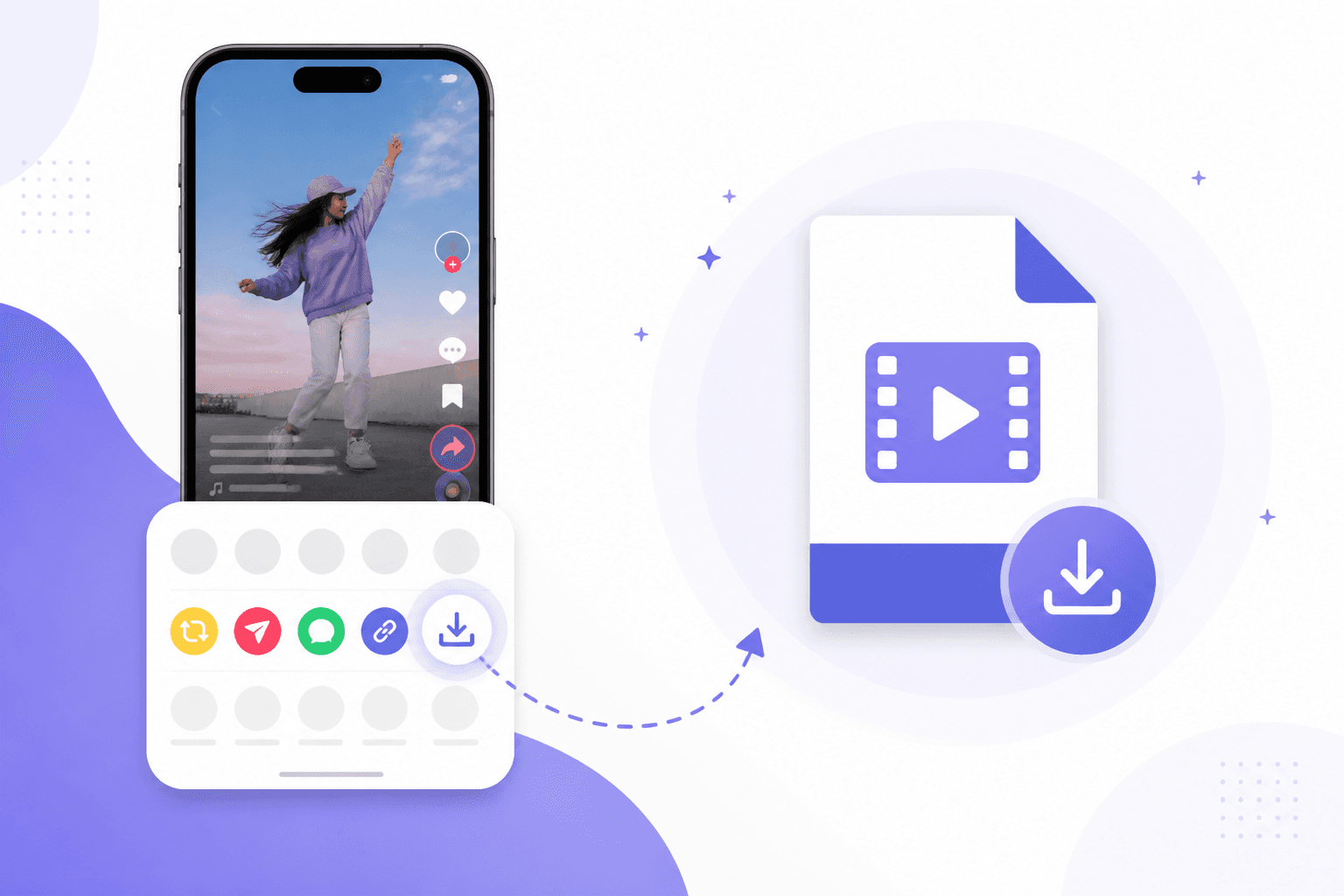
A tiktok download without watermark takes three steps: copy the video link, paste it into a free browser downloader, and save the MP4 to your device. You do not need an app from an unknown developer or a screen recording that keeps the bouncing logo in frame. This guide covers the method that works on iPhone, Android, and desktop in under three minutes.
What to Know
- Browser downloaders pull the source file and usually return a clean MP4 without the TikTok logo overlay.
- Public videos only. Private accounts and followers-only posts will not resolve.
- 1080p is available when the uploader sent that resolution. No tool can upscale a 720p upload.
- Screen recording works in a pinch but costs quality and keeps UI elements on screen.
- Download content you own or have permission to use. Watermark removal does not grant reuse rights.
Why the Watermark Shows Up in the First Place
TikTok adds its logo and username overlay so viewers know where a clip came from when it gets shared outside the app. Fair enough from their side. Annoying when you are a creator building a compilation, a teacher collecting reference clips, or someone who wants a clean backup of your own post before you delete the original.
The in-app Save Video option sometimes keeps the watermark and sometimes does not, depending on the creator's settings and your region. You cannot rely on it. Browser-based downloaders contact TikTok's servers and often return a version without the overlay. Results vary by video age and account type, but this method works for the majority of public posts.
Step 1: Copy the Video URL
Open the TikTok you want to save. Tap the arrow that says Share, then tap Copy Link. Switch to your browser. On iPhone, Safari works well. On Android, Chrome is fine. Desktop users can copy straight from the address bar while the video plays.
Short URLs redirect just fine. You do not need to expand them manually. If the video is a stitch or duet, copy the link from the version you actually want saved, not the parent clip unless that is your target.
Public videos only. Private posts, followers-only content, and age gated clips will fail because the downloader cannot authenticate as you. Respect those boundaries. Download content you have permission to use.
Step 2: Use a Free TikTok Downloader
Head to our TikTok downloader page. Paste the URL into the box and submit. The tool contacts TikTok, lists available resolutions, and prepares an MP4 download link. No login, no extension, no sketchy app store install.
Pick the highest quality your storage budget allows. 1080p looks sharp in edits. 720p is lighter for messaging apps. Some older uploads only offer 720p or 540p at the source, and no downloader can invent pixels that were never uploaded.
Processing usually takes a few seconds. Slow networks or viral videos under heavy load might add a short wait. Refreshing the page and trying again clears most temporary errors.
Step 3: Save the MP4 File
Tap the download button for your chosen quality. On mobile, the file lands in Downloads or prompts you to save to Files. Move it to your camera roll if your editor expects video there. On desktop, check your default downloads folder and rename the file something you will recognize next week.
Play the file once before you delete the TikTok bookmark. Confirm audio is present, the framing looks right, and yes, the watermark is gone or minimal. If a faint mark remains, the uploader may have baked it into the source. Rare, but it happens on reposted content.
Downloading on iPhone vs. Android
iPhone users sometimes hit a preview instead of a download. Long press the video preview, look for a save option, or tap the share sheet and choose Save to Files. If Safari blocks the download, try the same page in Chrome for iOS.
Android is usually more direct. The notification shade shows progress. Tap it when finished and open with your gallery app. Samsung and Pixel handle this slightly differently, but the downloader side of the workflow stays the same.
Desktop Downloads for Editors
Video editors on Mac or Windows prefer files in a local folder, not camera rolls. Download on desktop, drag the MP4 into Premiere, DaVinci, or CapCut, and start cutting. Browser tools beat desktop wrapper apps that bundle adware and demand administrator access for no good reason.
Name files with the creator handle and topic while the context is fresh. A folder called TikTok References beats a downloads folder full of random strings when you return to a project two weeks later.
Legal and Ethical Basics
Downloading is a technical act. Permission is a separate question. Save your own videos freely. For other people's content, consider copyright, platform terms, and whether your use is commentary, education, or something that needs a license. Watermark removal does not remove those obligations.
Credit creators when you repost or remix. A clean file makes your edit look professional. Attribution makes your channel trustworthy. Both matter if you grow an audience beyond your friends list.
Audio, Stitches, and Duet Clips
TikTok stitches and duets sometimes confuse people who copy the wrong link. Save the version you see on screen, not the parent video unless that is your actual target. Audio tracks travel with the video file in the MP4 container, so you should hear the same sound you heard in the app after download.
If audio is missing, the original upload may have used a sound that TikTok restricted in certain regions. That is rare on public clips but worth checking before you delete the bookmark. Play the file with headphones once to confirm both channels work.
Troubleshooting Failed Downloads
Link errors mean the URL is truncated or the video was removed. Copy again from TikTok instead of reusing an old message thread link.
Blank previews often trace back to private accounts. Ask the creator to make the post public temporarily or send you the file directly.
Slow speeds are usually network related. Pause other downloads, move closer to your router, or try again during off-peak hours. The downloader itself rarely is the bottleneck.
Region-blocked sounds or videos fail the same way private posts do. If a clip plays for a friend in another country but not for you, the block is on TikTok's side. No downloader bypasses that restriction.
How This Compares to Other Download Options
Random mobile apps from unknown developers request permissions they do not need. Telegram bots come and go overnight. Screen recording degrades quality and captures notifications. A browser tool you bookmark today will still work tomorrow without updating firmware on your phone.
If you download from multiple platforms, not just TikTok, read our roundup of the best free social media downloader tools in 2026. It compares options for Instagram, YouTube, and more so you pick the right tool per site instead of forcing one app to do everything poorly.
Frequently Asked Questions
Can you download TikTok videos without a watermark for free?
Yes. A browser-based tiktok download without watermark tool fetches the source file from TikTok's servers and returns an MP4 without the floating logo overlay. No payment, no account, and no app install required for public videos.
Why does TikTok add a watermark to saved videos?
TikTok stamps its logo and the creator's username on clips so viewers know where content originated when it gets reposted. That helps the platform, but it gets in the way when you need a clean file for editing, presentations, or archiving your own posts.
Does the in-app Save Video button remove the watermark?
Not reliably. Some creators disable downloads entirely. Others allow saves that still carry the watermark. You cannot count on the built-in button when you need a logo-free file for an edit or a client deliverable.
Will a tiktok download without watermark work on private accounts?
No. Downloaders only access videos that are publicly visible. Private accounts, followers-only posts, and age-gated clips require authentication that browser tools cannot provide. Stick to public URLs you can open without logging in.
Is it legal to remove the TikTok watermark?
Removing a watermark is a technical step, not a legal one. You still need permission to use someone else's content. Saving your own videos is fine. Reposting or selling clips you did not create may violate copyright or platform terms regardless of whether a watermark is present.
Save Your First Clean TikTok Now
Copy link, paste, save. Three steps and you have an MP4 without the floating logo. Open the free TikTok downloader and try it on a public video you own or have rights to use.