 Easy Video Downloader
TikTok Downloader No Watermark
Download TikTok Videos
Download TikTok videos in high quality. Fast, free, and easy to use.
Safe & Secure
No login required. We do not store your links.
Fast Download
Grab videos in seconds, not minutes.
All Devices
Works on phone, tablet, and desktop.
TikTok Downloader No Watermark: What This Tool Does
A tiktok downloader no watermark grabs the original video file from TikTok's servers and saves it to your device as a standard MP4. No floating logo. No username stamp in the corner. Just the clip itself, ready to watch offline or drop into an editor.
Most people land here after fighting with TikTok's built-in save button. That button works, but it slaps a watermark on everything. If you are trying to download tiktok video in hd for a compilation, a client review, or your own backup library, the watermark gets in the way fast.
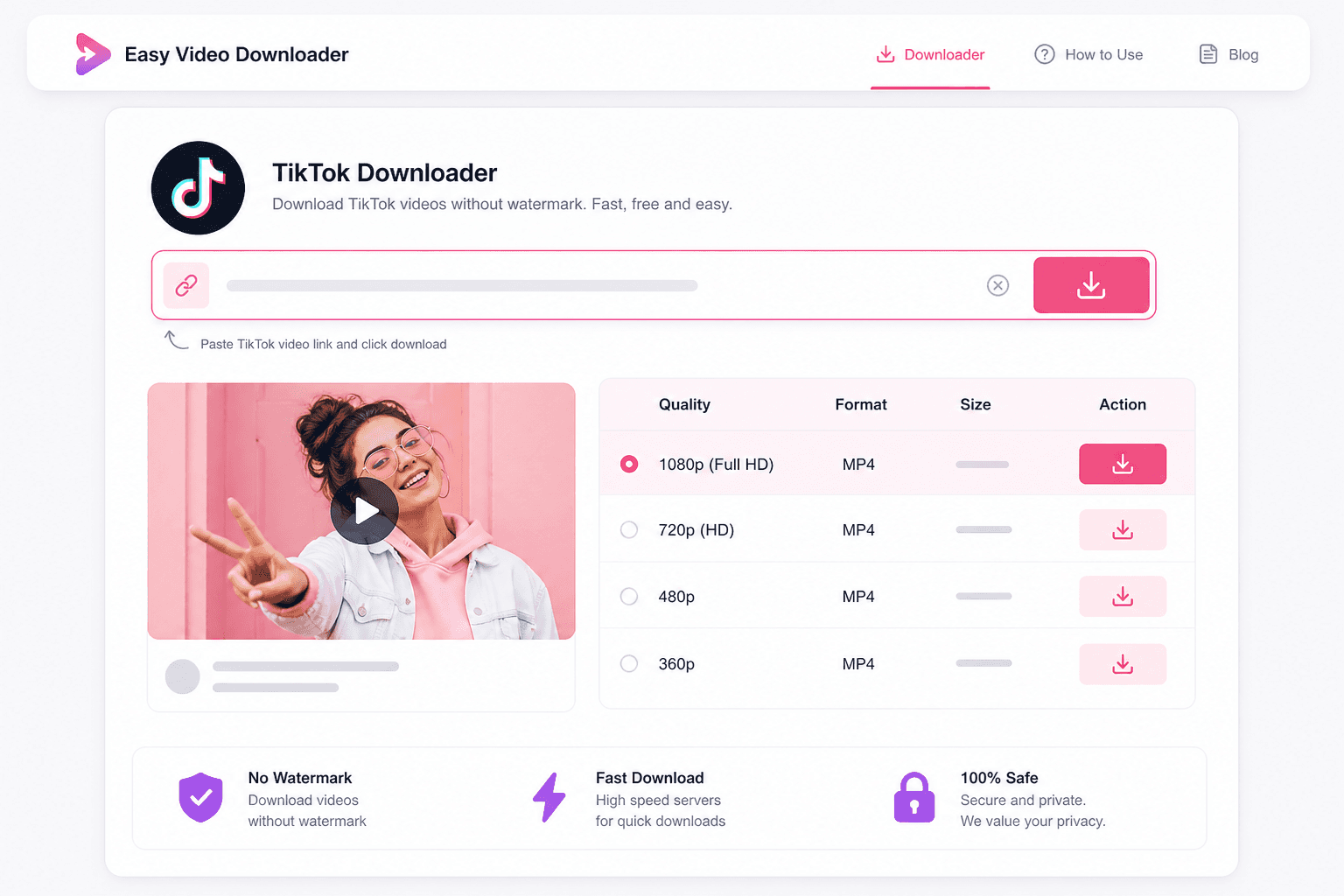
Easy Video Downloader handles the tiktok download without watermark in a few clicks. Paste the link, wait a few seconds while we pull the available formats, pick your resolution, and hit download. The whole thing runs in the browser. You do not need a desktop app, a sketchy APK, or a browser extension that wants access to everything on your phone.
This page is built specifically for TikTok. That focus matters because TikTok URLs have their own format quirks, and a dedicated tiktok mp4 downloader tends to pull cleaner files than a generic catch-all site. If you also need Instagram Reels or YouTube Shorts, our free social media downloader covers five platforms from one tab bar.
Creators use this to archive their own posts before deleting them. Editors grab reference clips for mood boards. Parents save tutorials they want to rewatch without burning mobile data. The use cases pile up, but the workflow stays the same: copy link, paste, download.
You might also want to save tiktok video to phone storage before a trip somewhere with spotty signal. Or pull a clip you starred weeks ago that TikTok's algorithm will never surface again. A local MP4 file does not disappear when a creator goes private or gets banned.
Quality-wise, expect 720p on older uploads and 1080p on most recent ones. TikTok compresses aggressively, so a "1080p" download will not look like a DSLR shot. It will look exactly like what you saw in the app, minus the watermark overlay.
A lot of download sites on the first page of Google are ad farms. They make you click through three fake download buttons before serving a low-bitrate file with malware warnings attached. We kept this page minimal on purpose. One input field, one results panel, one real download button. That is how a tiktok video downloader free should work in 2026.
Desktop users get the smoothest experience. A tiktok downloader for pc runs the same code as mobile, but you get a bigger screen to compare quality options side by side. Drag the finished MP4 straight into Premiere, CapCut, or DaVinci without converting formats first. The file is already H.264 in an MP4 container, which is what most editors expect.
Phone users are not left out. Safari on iOS and Chrome on Android both handle the download flow fine. If you need to save tiktok video to phone storage before a flight or a commute, bookmark this page and skip the App Store entirely. No permissions popup asking for your contacts or camera roll.
One thing worth saying upfront: we cannot download private accounts, age-gated clips, or videos that TikTok has pulled for copyright. If the link does not work in an incognito window, it will not work here either. Public posts from creators, brands, and your own uploads are fair game.
Looking for a longer walkthrough? Our blog post on how to download TikTok videos without watermark covers mobile-specific tips. Need a caption for the video you just saved? Try our TikTok caption generator. You can also browse every tool on the Easy Video Downloader tools page.
How to Download TikTok Videos Without Watermark
The process takes under a minute once you have the link. Here is the full path from TikTok to a clean file on your device.
- Copy the TikTok video URL. Open the video in the TikTok app or website, tap Share, and select Copy Link. On desktop, copy the address from your browser bar.
- Paste it into the field above. Hit the Paste button if your clipboard already has the link ready. The URL should look like tiktok.com/@username/video/...
- Load the video info. Click Get Video and wait while we fetch the available formats. A thumbnail and title appear when the lookup succeeds.
- Pick your quality. Select 1080p if you want the sharpest file, or 720p if you need a smaller download. Each option shows a "No watermark" tag when the clean file is available.
- Download the MP4. Press the download button and save the file. On desktop it lands in your Downloads folder. On mobile, check Files or your browser's download manager.
Frequently Asked Questions
Is it free to download TikTok videos without watermark?
Yes, completely free. There is no trial period, no premium tier, and no hidden charges. You can download as many public TikTok videos as you need without creating an account or entering payment details.
Can I download TikTok videos on iPhone?
Yes. Open this page in Safari or Chrome on your iPhone, paste the TikTok link, and tap download. The MP4 file saves to your Files app or Downloads folder depending on your iOS version. No App Store install required.
Does the downloader work on private TikTok accounts?
No. The tool only accesses videos that are publicly visible. If the account is private, the video is followers-only, or TikTok has region-blocked the clip, the download will fail. Make sure the video plays for someone who is not logged in before you try.
What video quality can I download?
Most TikToks are available at 720p or 1080p. The quality picker shows every resolution we can pull from TikTok's servers for that specific video. Older uploads sometimes cap at 720p even if they look sharp on screen.
Do I need to install any software?
No install needed. This tiktok downloader for pc, Mac, Android, and iPhone runs entirely in your browser. You paste a URL, pick a format, and save the file. Nothing gets added to your device except the video itself.
How is this different from saving inside the TikTok app?
TikTok's built-in save button adds a floating logo and the creator's username on top of the video. Our tool fetches the original upload file, which typically has no watermark. That matters if you are editing the clip, reposting to another platform, or archiving clean footage.
Is it legal to download TikTok videos?
Downloading someone else's content without permission may violate TikTok's terms of service or copyright law in your country. This tool is meant for saving your own videos, content you have explicit permission to use, or clips that are clearly licensed for reuse. When in doubt, ask the creator.
Can I use this as a tiktok video downloader free for commercial projects?
The tool itself is free, but the video content belongs to whoever posted it. Commercial use requires permission from the rights holder. Downloading a trending sound or clip and dropping it into a paid ad without clearance is a fast way to get a copyright strike.