
TikTok Caption Ideas That Hold Attention and Earn Comments
Good tiktok caption ideas do not replace a strong opening frame, but they extend it. The caption is what sound-off scrollers read, what TikTok indexes for search, and what nudges a viewer from a passive watch into a comment. Write the first line like a second hook, add context the clip cannot carry alone, and close with something easy to reply to. That three-part structure works across comedy, tutorials, and story posts without sounding like a template.
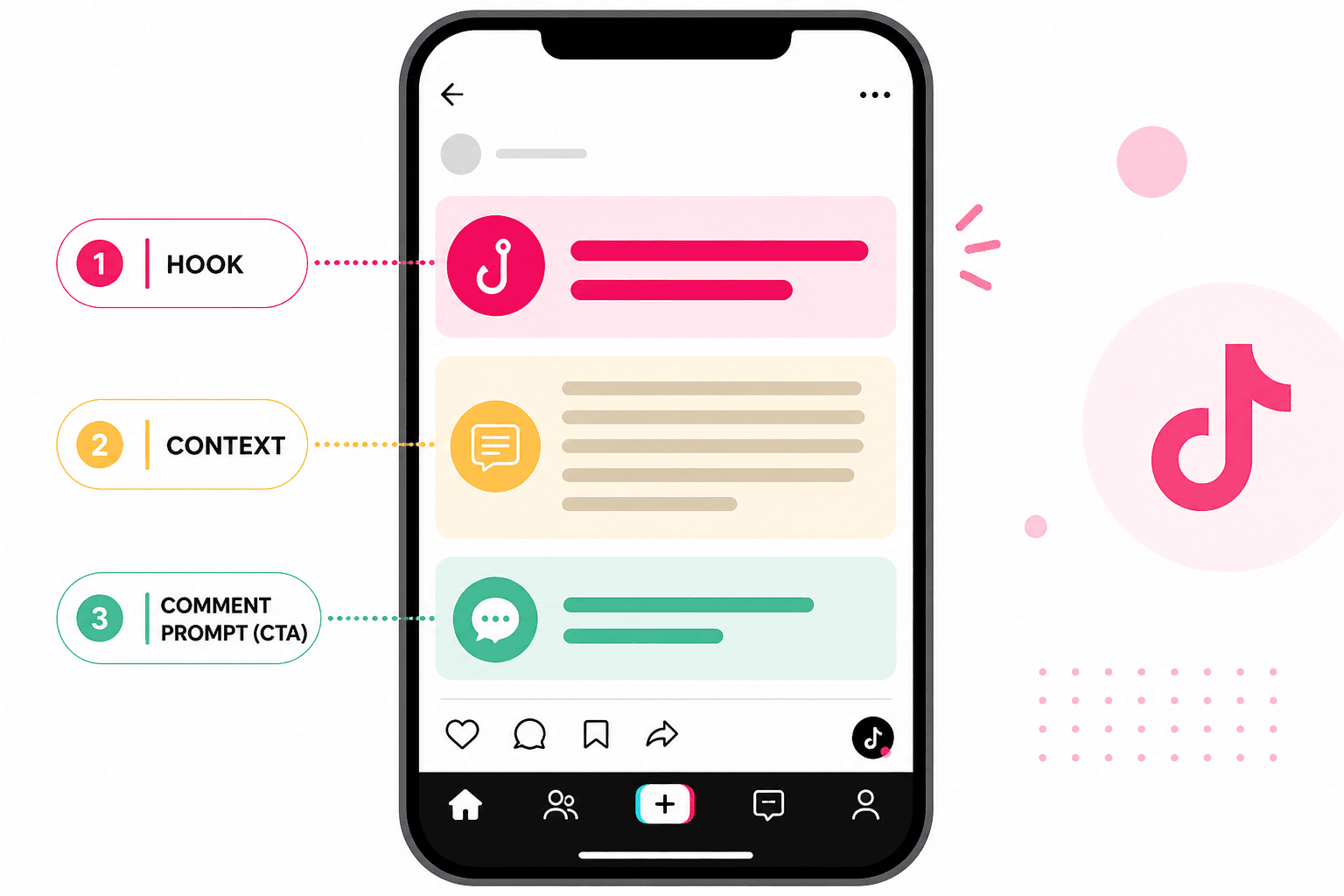
What to Know
- TikTok truncates long captions after roughly 40 visible characters on mobile, so front-load the payoff.
- Captions show up in search. Include natural keywords about your topic without stuffing tags into the first sentence.
- Comment triggers beat generic calls to follow. Ask something a stranger can answer in one short line.
- Three to five targeted hashtags at the end of a caption beat a wall of thirty generic tags.
- You can edit captions on live posts if the video outperforms your original wording.
Why Captions Still Matter on a Visual Platform
Plenty of people watch TikTok on mute during commutes, at work, or late at night when roommates are asleep. Your caption is the backup track for those viewers. It also gives the algorithm text to match against search queries. A cooking clip might need the full ingredient list. A storytime needs the setup your hook skipped for pacing. A reaction video needs the opinion spelled out so people know what they are agreeing with in the comments.
Viral posts rarely win on visuals alone. The caption adds a layer the first three seconds cannot hold. Treat it as part of the edit, not an afterthought you type while the upload bar crawls.
Step 1: Open With the Payoff, Not a Greeting
Read your first line out loud. If it starts with hey everyone or so today I wanted to share, delete it and start over. TikTok hides most captions behind a more tap. The only free real estate is the opening fragment.
Compare these two openings for the same budget grocery haul video:
Weak: "Hey guys! I went shopping today and found some amazing deals I think you will love..."
Strong: "$47 for two weeks of groceries. Full list below."
The second version tells a stranger why they should tap more before they think about it. Specific numbers, time frames, and bold claims outperform vague enthusiasm every time.
Step 2: Add Context the Video Cannot Show Alone
Repeating your spoken script in the caption adds nothing. Use the text box for new information: a stat you cut from audio, a twist, step four that did not fit in sixty seconds, or the part you were too embarrassed to say on camera.
Tutorial posts name the outcome up front: "This fixed my breakout in five days. Routine below." Story posts drop a one-line setup: "My landlord still does not know about this." POV clips spell out the scenario: "POV: you finally told your manager the truth." Each format shares one rule. The caption and the opening frame should feel like one thought split across two places.
TikTok Caption Ideas by Content Type
Steal these structures and swap in your own details. They are starting points, not scripts to paste without editing.
Storytime: "I still think about this every Tuesday. Part 2 if this hits 1k likes."
Tutorial: "Save this before your next trip. Step 3 is the one everyone skips."
Listicle: "3 signs your skincare routine is working (and 2 signs it is not)."
Reaction: "I was not ready for the third one."
Behind the scenes: "What posting every day actually looks like. No aesthetic montage."
Notice none of these open with in this video I will show you. They assume the viewer already pressed play and just need a nudge to stay.
Length, Hashtags, and Formatting
Short captions under 100 characters suit comedy and reaction clips where the video carries everything. Long captions between 200 and 400 characters suit tutorials, personal stories, and posts where context drives shares.
Line breaks help readability. One idea per line keeps thumbs scrolling down the caption instead of away from your profile. Hashtags belong at the end or on their own line after a break. For tag strategy, read our guide on the best tiktok hashtags for 2026. You can also run your topic through our TikTok hashtag generator and keep three to five strong matches.
Common Caption Mistakes That Kill Reach
Hashtag stuffing in the caption body looks spammy and reads like a bot wrote it. Posting without proofreading costs credibility. Autocorrect fails are funny once. Twice and people assume you do not care about the post.
Another quiet killer is mismatch between hook and caption. If the video opens with I almost got fired for this and your caption says check out my morning routine, you lost the thread before anyone tapped more.
Step 4: Draft Faster With a Caption Generator
Staring at a blinking cursor after you already edited the video is normal. When you are stuck, write three versions with different angles: emotional, informational, and provocative. Post the one that matches the energy of the clip.
Our TikTok caption generator gives you multiple drafts based on your topic and tone. Pick the closest match, edit the first line until it sounds like you, and add your comment trigger before you publish. The tool handles the blank page problem. Your job is still to make it specific.
Viral captions are clear, specific, and written for humans who scroll fast. Nail the hook, front-load the payoff, ask for the comment, and ship the post. You can always rewrite the caption on a repost if the video outperforms your expectations.
Frequently Asked Questions
How long should a TikTok caption be?
Most clips perform well with 50 to 200 characters. Comedy and reaction videos can go shorter. Tutorials and story posts often need more room for context. Put the hook in the first line because TikTok hides the rest behind a tap.
Do captions affect TikTok reach?
Captions are one signal among many. They help with search, give sound-off viewers context, and can drive comments when you end with a question. A weak video will not go viral because of a clever caption, but a strong video with a flat caption leaves engagement on the table.
Should hashtags go in the caption or a comment?
Either works. Many creators put three to five tags at the end of the caption on a separate line. Keep the first line for humans. Pair caption tags with a focused hashtag list rather than stuffing thirty generic ones.
Can I edit a caption after posting?
Yes. TikTok lets you edit captions on published posts. If a video gets traction but comments mention confusion, tighten the opening line or add the missing context without re-uploading the clip.
What is the fastest way to write captions daily?
Batch three to five caption drafts while you edit. Use a generator when you are stuck, then rewrite the first line until it sounds like your voice. Never publish a caption you would not send to a friend.
Step 3: End With a Comment Trigger
Comments signal engagement. A caption that ends with a real question gets more replies than follow for more. Make the question easy to answer in five words or less.
Fill-in-the-blank prompts work: "The worst roommate habit is ___." Either-or questions work: "Team coffee or team tea?" Mild controversy works when you mean it: "Pineapple on pizza is correct and I will argue about it."
Skip hollow engagement bait TikTok has started demoting. Comment anything for good luck and like if you agree feel cheap. Ask something you would genuinely reply to if a friend posted it.